In-person · Mobile call recording · MDM
Meetings and calls,
logged to your CRM.
Phones, managed too.
free forever1,100+companies
AI writes the minutes and logs them to your CRM — no typing for your sales reps.
See where company smartphones are and how they are set up, from one console.


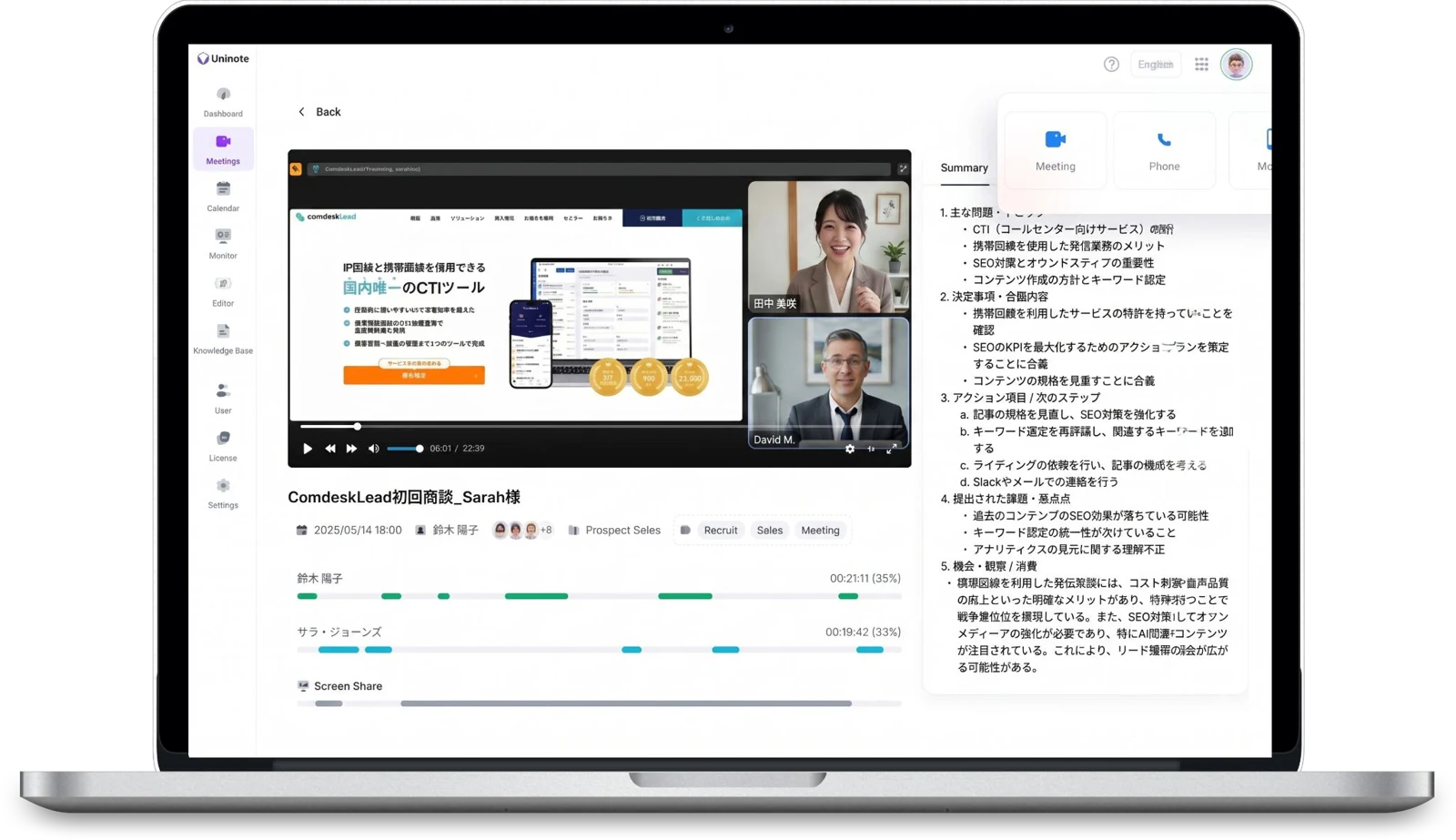
Reviewed Q2 results and strategy. Sarah reported 12% revenue growth.

CRMs and tools
you can share to


All 3 major
carriers (Japan)


What is Uninote
One service with three core features: in-person & web meeting recording, mobile call recording and MDM.
It covers everything from recording and analyzing meetings and calls to managing company smartphones.
Record, and AI fills your CRM
 Mic and web meeting recordingOutgoing and incoming, automatically
 Other CRMs via API
Manage company smartphones



Problems Uninote solves
Meetings and calls are logged to your CRM automatically, and you always know where your company smartphones are and how they are set up
 What happens in a meeting
lives only in the rep's report
land in your CRM automatically
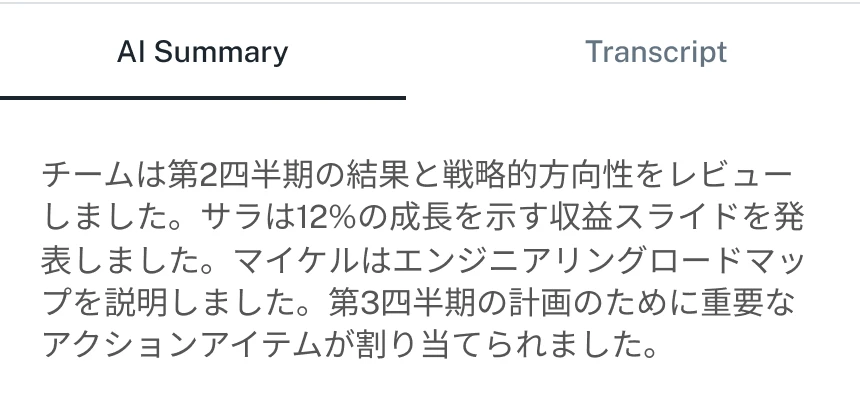
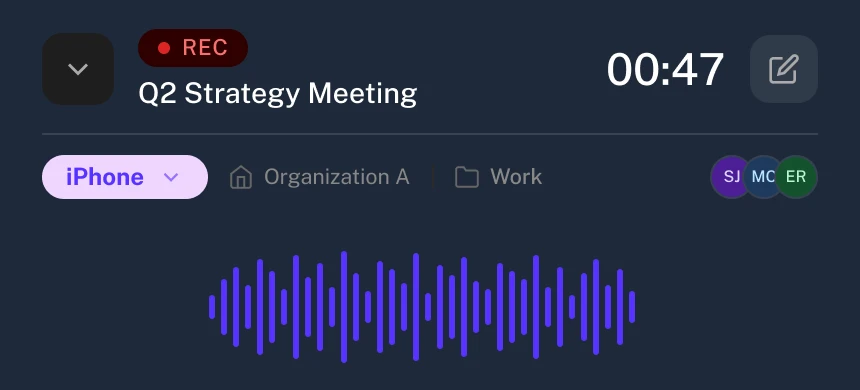
Record meetings with a PC or smartphone mic; AI writes the minutes and a summary and logs them to your CRM.
 Managers can't review
company phone calls
the same customer history
Outgoing and incoming calls are recorded automatically, and the transcript and summary go into the same customer history as in-person meetings and web calls.
 You don't know where company
smartphones are or how they're set up
are and how they're set up
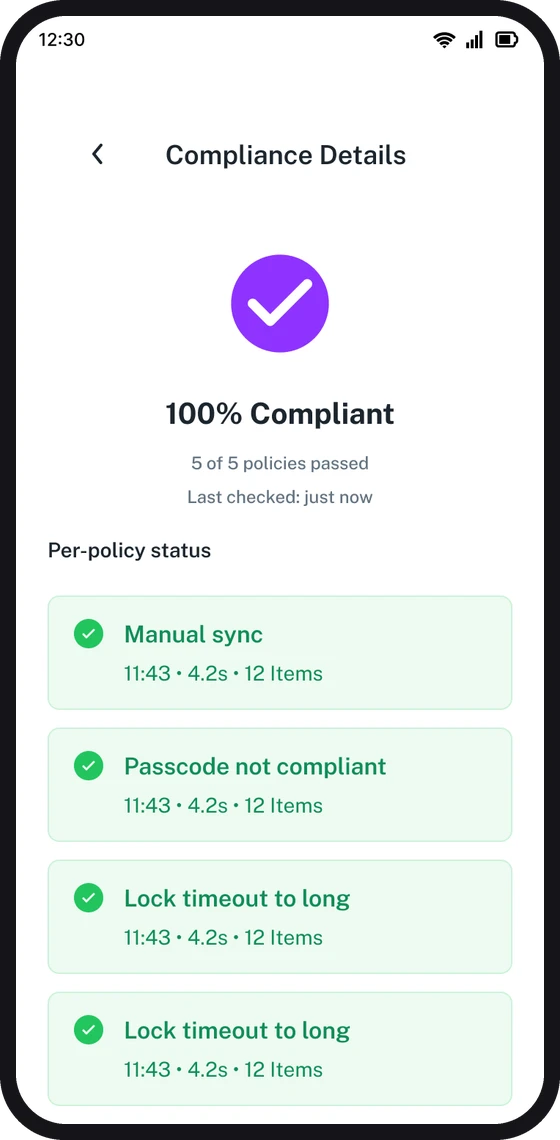
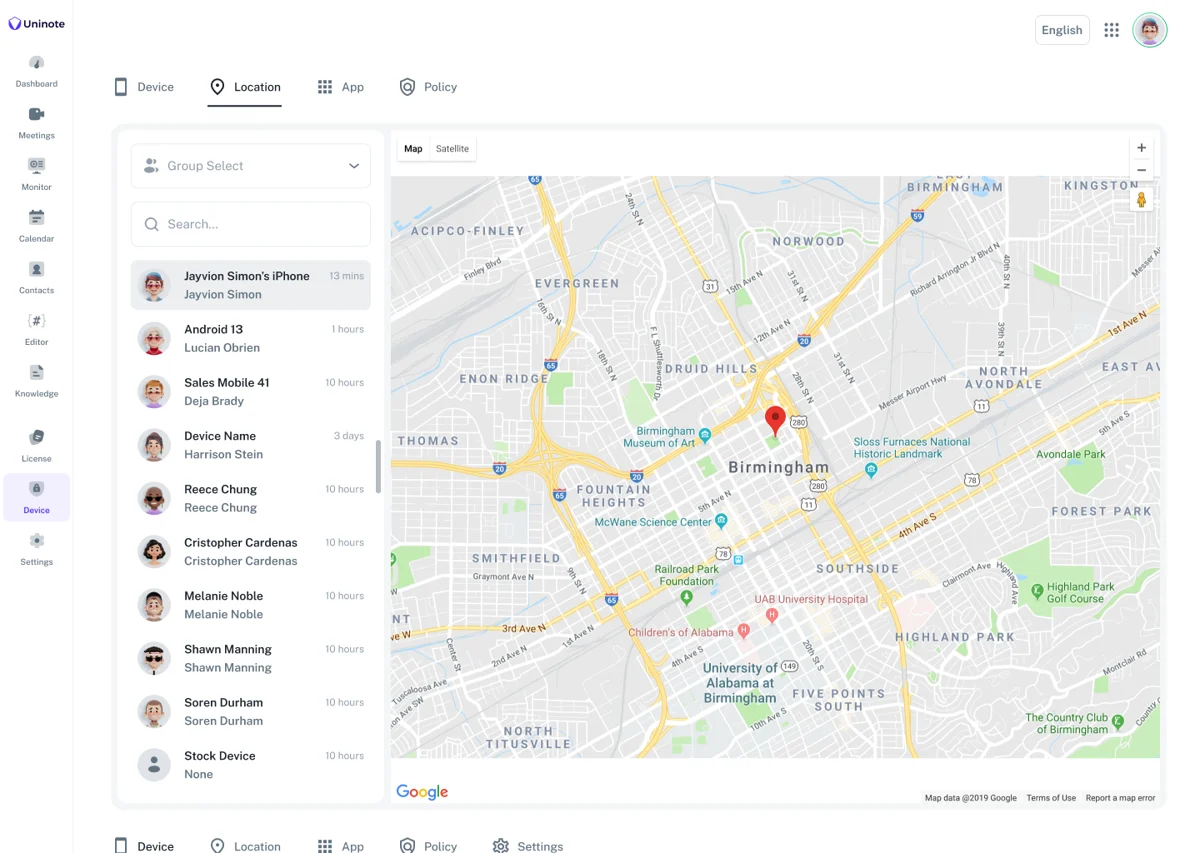
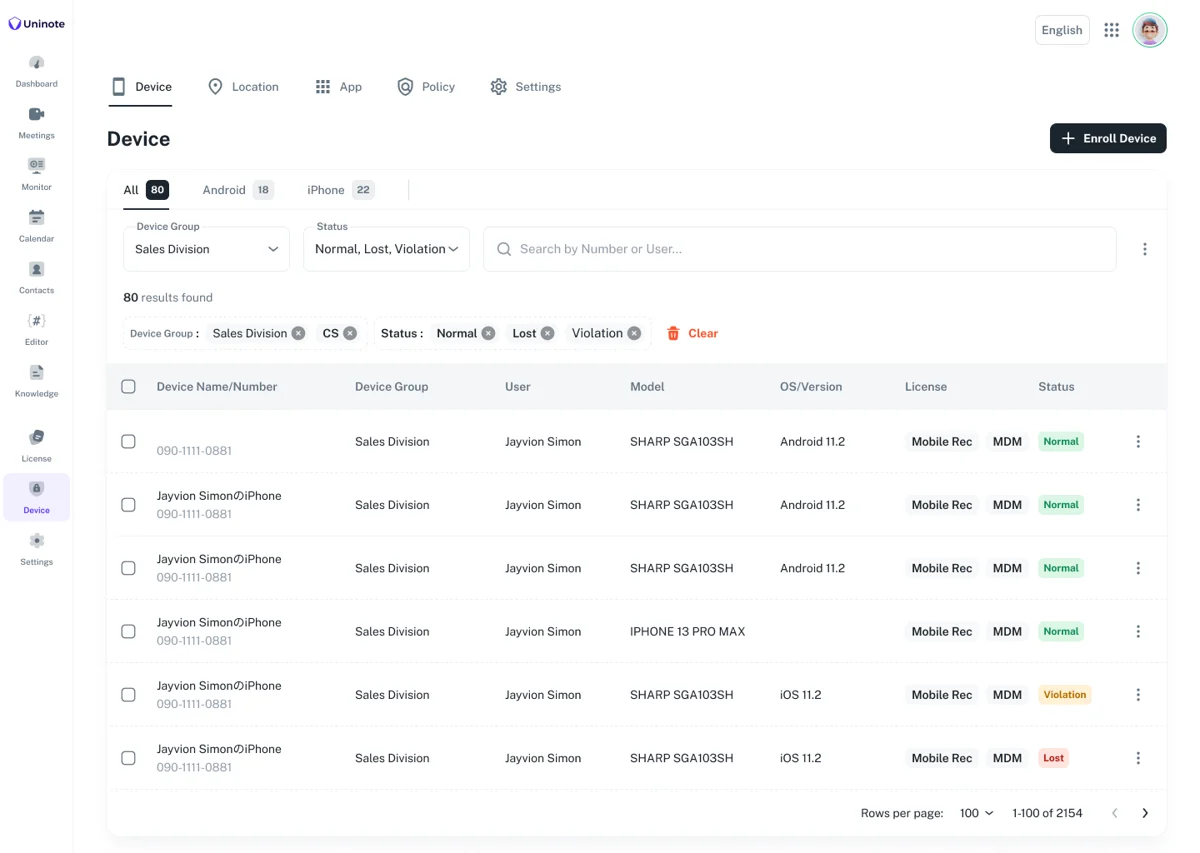
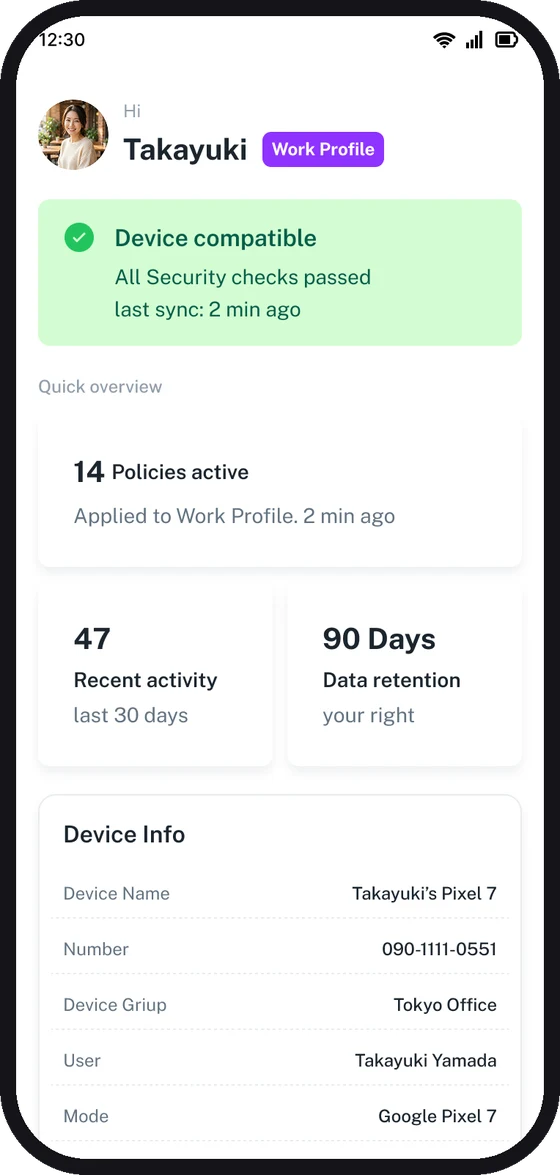
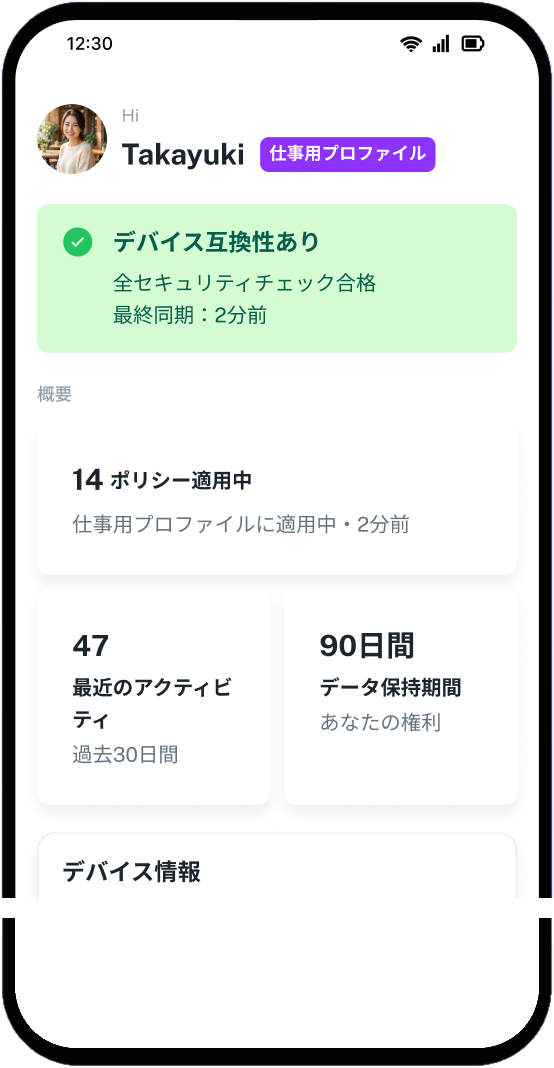
Manage device location and settings in bulk from the console. If a device is lost, lock or wipe it remotely.
Conversation records and company smartphones, all in Uninote
Record in-person meetings, web meetings and company phone calls into your CRM, and manage the smartphones you hand out.

Services
UninoteIn-person & Web Recording
Record client meetings and web meetings; AI turns them into minutes and logs them to your CRM

Your reps stop writing reports and focus on selling.

UninoteMobile Call Recording (Japan only)
Record calls on your usual company phones and log the summaries to your CRM as activities
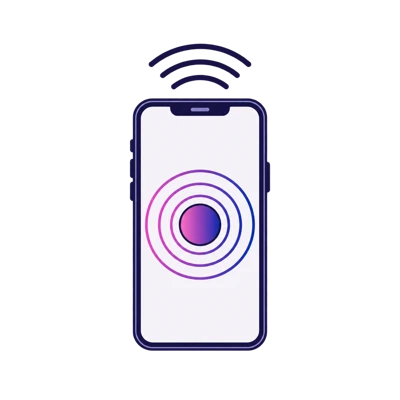
Keep your docomo, au and SoftBank 090/080/070 numbers. Available in Japan only.
Same number, same steps

Every call, incoming too
- In09:12Recorded
- Out10:45Recorded
- In13:20Recorded
- Out15:08Recorded
AI tuned for Japanese, built in
History and a knowledge base, generated for you
UninoteMDM
Know where the smartphones your reps carry are, push settings in bulk, and lock lost devices remotely — all from the console
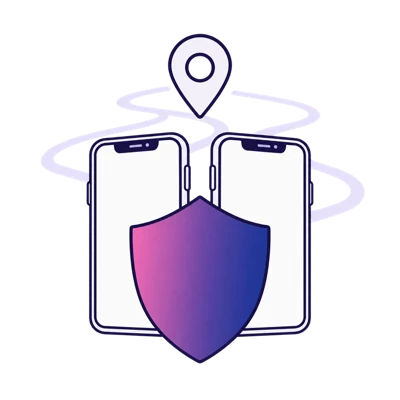
See location and usage in real time and apply setting policies per device in bulk. Lock a lost device remotely, right away.
Start recording conversations and managing company smartphones with Uninote
Recording highlight1
How recording and CRM sync work
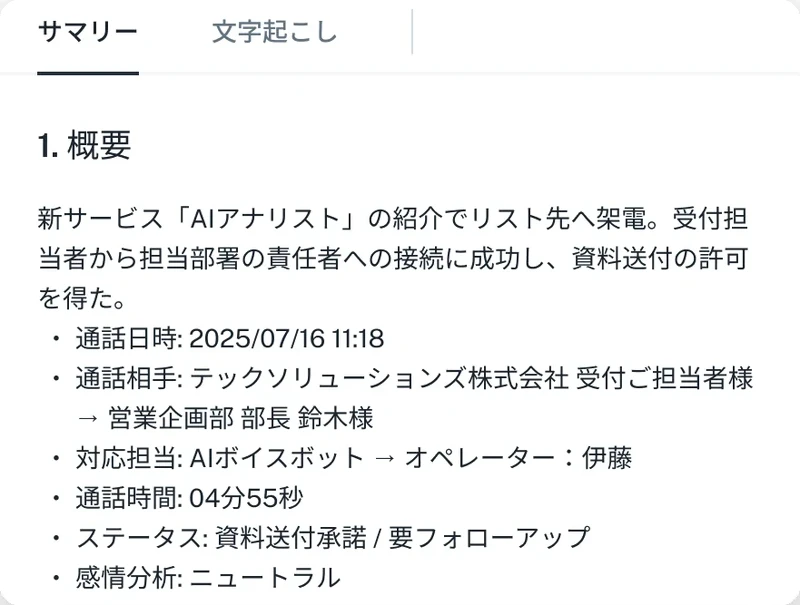
Record in-person meetings and company phone calls; AI transcribes and summarizes them and logs everything to your CRM and your team's tools.



 In-person
 Uninote
- Automatic recording
- AI transcription
- AI summary
- Analysis & keyword detection
- Dictionary & prompt editor
- Unlimited users and AI analysis
 kintone
Recording highlight2
AI features for your meetings
From hints during the meeting to records and reviews afterwards, AI does the work.
01Real-time AI suggestions
02Live coaching from managers
03AI minutes & summaries
04Tags & search
05Keyword & conversation detection
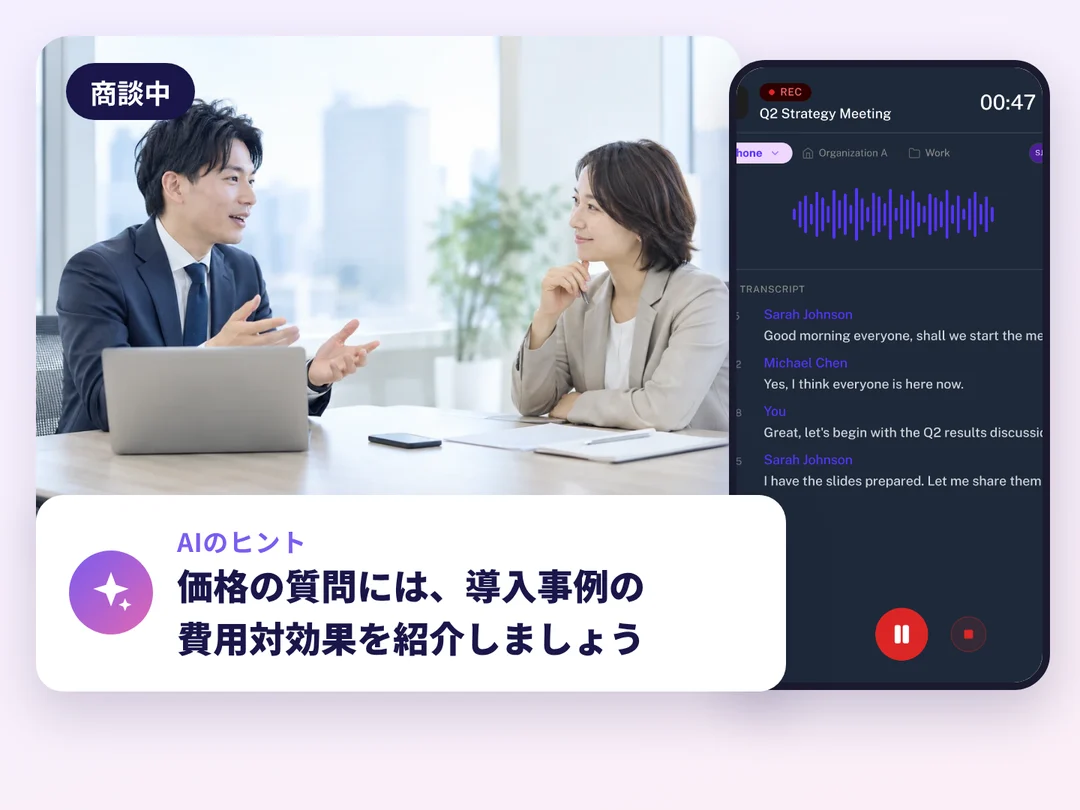
As the conversation unfolds,
AI suggests how to respond
During the meeting, AI recommends responses from your organization's knowledge and product information, based on how the customer reacts.
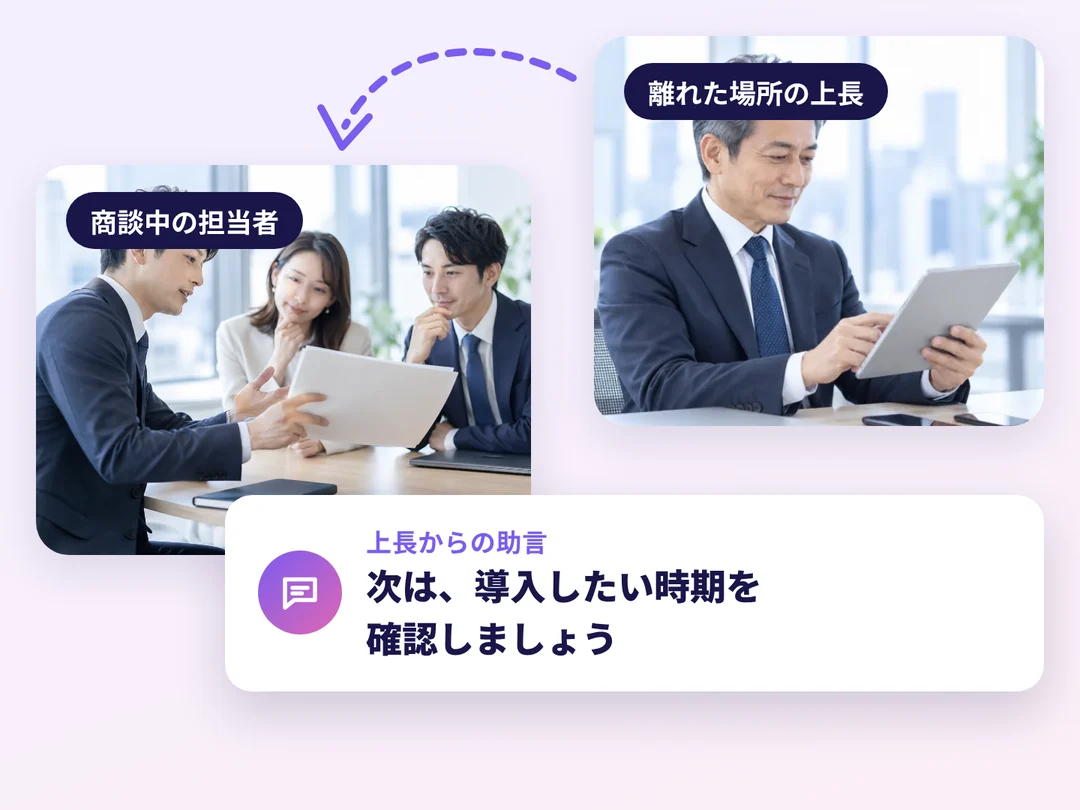
From anywhere, managers can
send advice during the meeting
Managers can monitor the meeting and send advice on the spot, supporting the rep without being in the room.
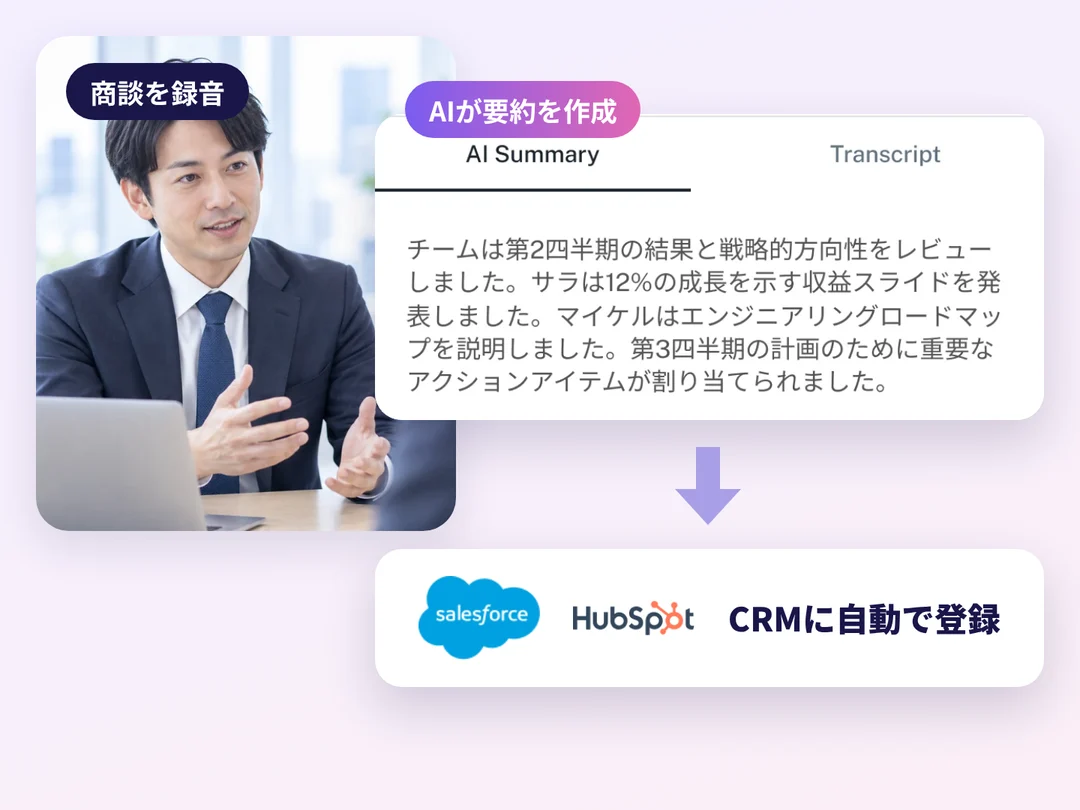
In your own format,
minutes and summaries are written for you
AI writes the minutes and summary and syncs them to your CRM. You can customize the AI prompt used for summaries.
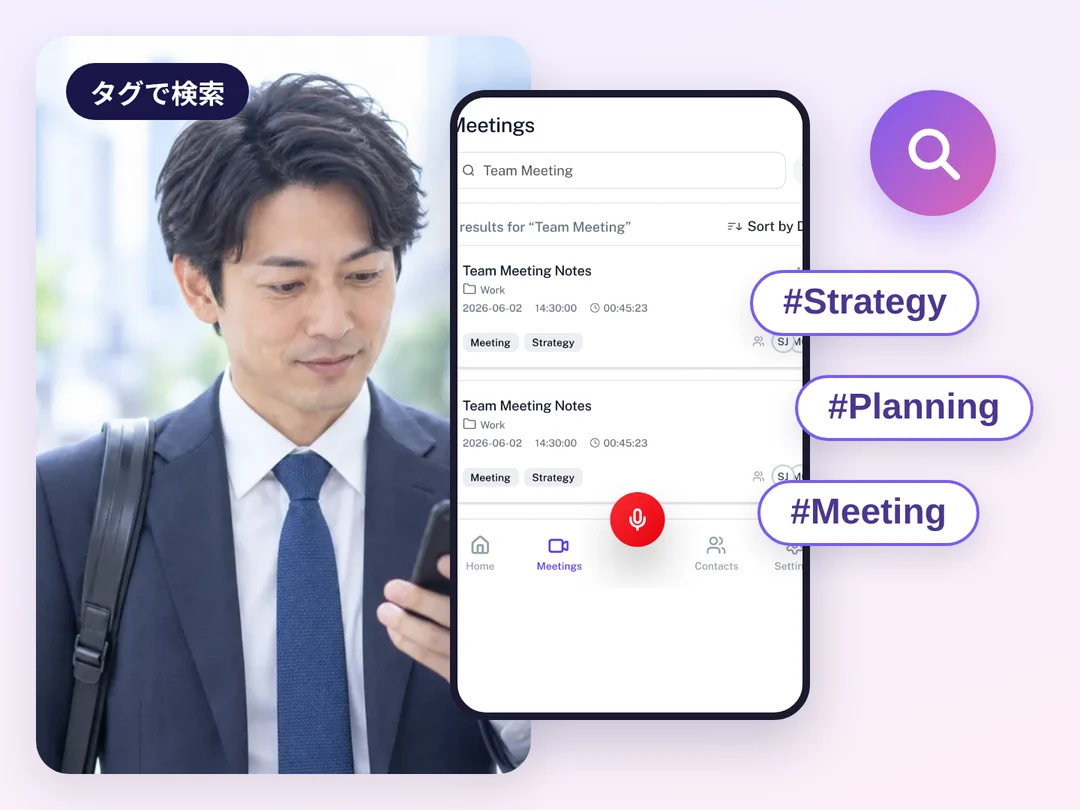
With tags,
find past meetings instantly
AI adds search tags automatically. Review the recording, transcript and summary on one screen and share winning meetings with your team.
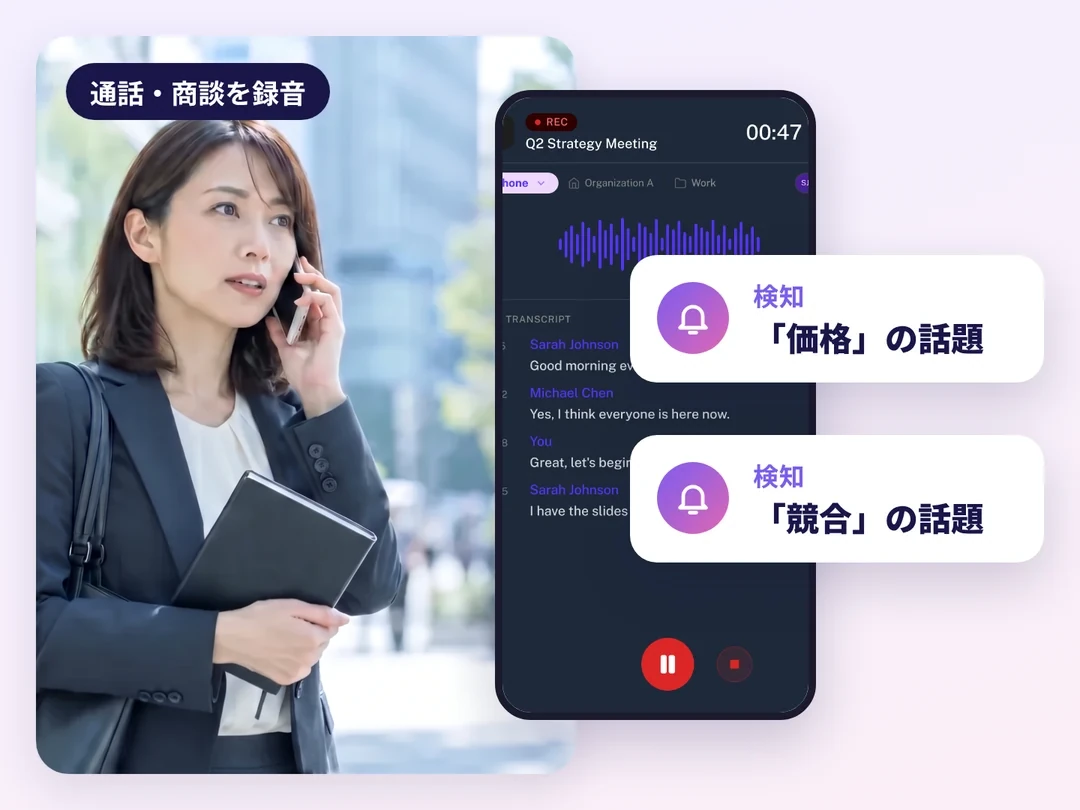
Without listening to everything again,
spot the conversations that matter
AI detects keywords and context in recorded conversations. However many recordings pile up, you won't miss the ones to check.
Recording highlight3
Record every sales conversation
From client meetings and field visits to company phone calls, web meetings and interviews — record each the way that fits.
phone calls
Record with a PC
or smartphone mic
Recorded automatically
on your usual calls
Works with Zoom, Teams
and Google Meet

Recording highlight4
3 reasons teams choose Uninote
No effort to record, accurate AI, and minutes that land in the CRM on their own

Meetings are recorded with a PC or smartphone mic, and calls start recording as your reps call out or pick up on their usual company phone. No extra hardware, no number change.

AI transcription, AI summaries, conversation analysis and keyword detection come built in. A custom dictionary and prompt editor match your terminology and summary format.

Works with Salesforce, HubSpot, kintone and other major tools, and shares to Slack or Teams. Build your own integrations with the OpenAPI and iPaaS.
MDM highlights
Manage the smartphones you hand out
From location tracking to bulk settings and remote lock for lost devices, all from the console.
 Know where each device is
See the location and travel history of the smartphones you hand out on the console map.
 Apply settings to devices in bulk
Apply setting policies per device in bulk and check each device's status in the compliance report.
 Lock lost devices remotely
If a device is lost, lock or wipe it remotely from the console.
Start recording conversations and managing company smartphones with Uninote
Pricing
In-person recording is free to start. Add mobile call recording and MDM per device.
Base plan (in-person & web meeting recording)
Monthly price per organization (billed annually). Pick by how much data you store.
free forever
- Storage
- 10GB
- Viewing period
- 14 days
- Retention
- 6 months
- Storage
- 200GB
- Viewing period
- 90 days
- Retention
- 12 months
- Storage
- 600GB
- Viewing period
- 180 days
- Retention
- 24 months
- Storage
- 3TB
- Viewing period
- Unlimited
- Retention
- Unlimited
- Storage
- 10TB
- Viewing period
- Unlimited
- Retention
- Unlimited
- Storage
- Custom
- Viewing period
- Unlimited
- Retention
- Unlimited
Additional costs
- Dedicated recording server setup fee
- ¥100,000/carrier(one-time)
- Dedicated recording server fee
- ¥50,000/month per carrier
- Additional storage 100GB
- ¥20,000/month per organization
- Carrier options
- Varies
Additional costs
None
* All prices exclude tax. Invoice billing is available, with a 12-month contract from 1 device. The above covers part of the features and pricing.
Use cases by industry

Every phone interview with candidates recorded and summarized by AI
- Record every call with candidates and improve matching accuracy
- AI summarizes phone interviews, so handovers between advisors are smooth
- Record in-person interviews with a mic and keep the minutes and summary

Every customer touchpoint in the field, logged to the CRM automatically
- Calls from the road are logged to the CRM as activities, with a summary
- Every call is recorded, so how an agreement was reached is on record if a dispute arises
- Record in-person meetings at viewings and in the office, and log the minutes to the CRM

Explanations and order reports from the field, kept without typing
- Just set the phone down to record; minutes and a summary sync to Salesforce and HubSpot
- Customer explanations and order reports are fully recorded, cutting report writing back at the office
- Keyword detection tightens compliance in the field and provides evidence for Japan's Specified Commercial Transactions Act

See each partner's activity through call data
- Visualize partner performance with call data
- Improve sales forecasts with BI integration
- Record meetings with partners and share the minutes to Slack and more
Start recording conversations and managing company smartphones with Uninote
FAQ
QDo I need to contact you to start for free?
No. You can try it for free as soon as you create an account. Contact us only if you'd like help getting started or a demo.
QHow much can I use for free?
The FREE plan is free forever: unlimited users, 10GB of storage, a 14-day viewing period and 6 months of retention.
QWhich mobile carriers are supported?
docomo, au and SoftBank — Japan's three major carriers. Mobile call recording is available in Japan only.
QDo we need to change our company phone numbers or how we work?
No. You keep your usual company phone numbers (090/080/070). No extra hardware or special steps.
QDoes it work with the SFA/CRM we already use?
It works with Salesforce, HubSpot, kintone and other major tools. You can also build your own integrations with the OpenAPI and iPaaS.
Start recording conversations and managing company smartphones with Uninote today
No sign-up form needed — create an account and try it right away. For mobile call recording and MDM, book a demo and we'll walk you through it.
Start free nowGet in touch
Ask us about adopting Uninote, request a demo, or try the free plan.